Resolving Windows Server 2019 Installation Error in VMware

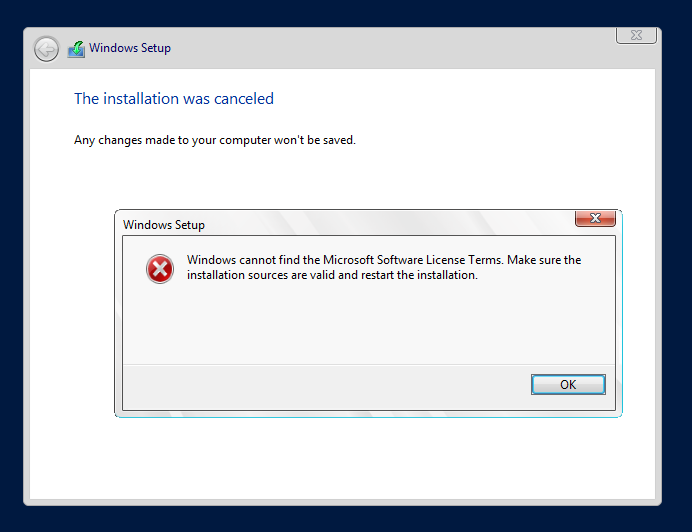
This error comes up when Windows Server 2019 OS is getting installed in virtual machine created inside VMware. The error says: "Windows cannot find the Microsoft Software License Terms. Make sure the installation sources are valid and restart the installation."
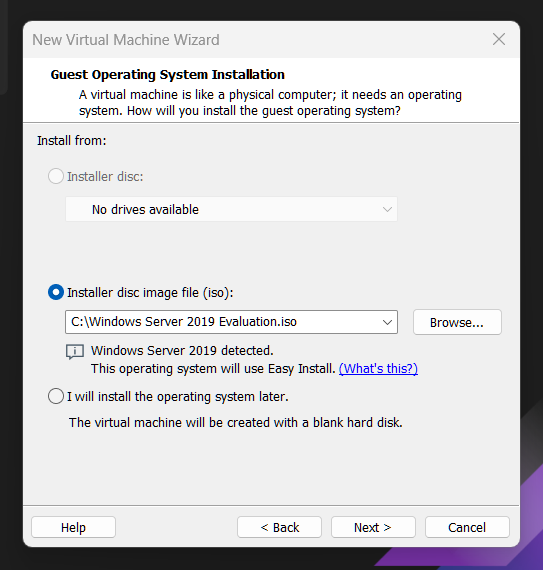
This error occurs when "Installer disc image file (iso)" is picked at the start of making a new virtual machine.
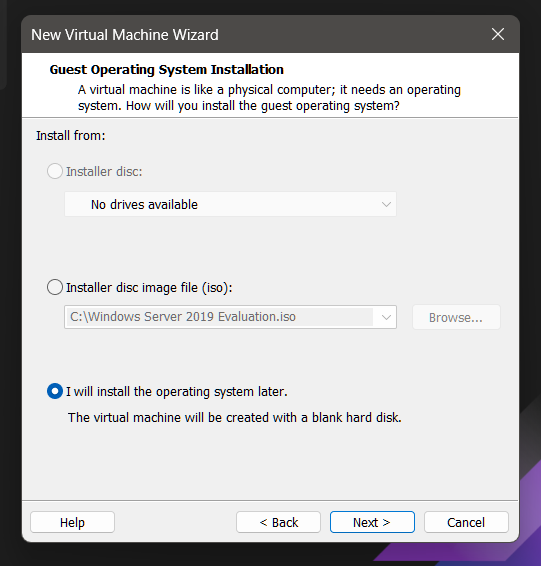
To fix this, choose "I will install the operating system later" instead.The fix involves deleting the virtual machine with the error. Then, make a new one with the right option.
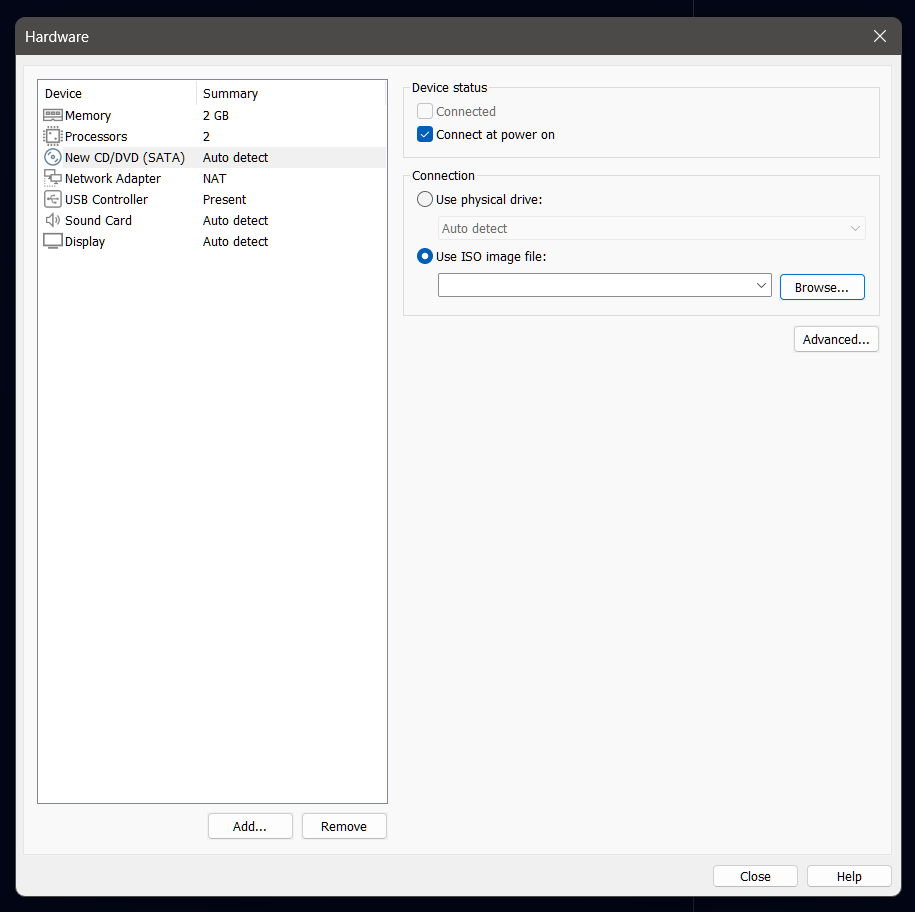
After that, add the ISO file in the VM's hardware settings. Go to "New CD/DVD (SATA)" and pick "Use ISO image file:" to add the Windows Server 2019 ISO.
This helps in installation of Windows Server 2019 in VMware smoothly.


