Customizing Harness Delegate: Python and Package Installation Using Delegate Terminal
The delegate we install using docker is an image of Red Hat Linux. As Python is not installed in it by default, let’s install python and a sample package in it.
- First step is accesing the terminal of the delegate linux image running in docker. For that use that command if we know the delegate container’s name:
docker exec -it --user root delegate_container_name /bin/bash
We use root access because it's needed to install Python and other software in the container.
Second step is installing Python in the container. We have to use “python312” to avoid older version(3.6) installation. Python 3.13 is not released yet.
microdnf install python312We could have installed dnf using “microdnf install dnf”, but it is not required as python installation can be done using microdnf alone.
Third step in installation of pip for package installation. For that use below commands:
curl -O https://bootstrap.pypa.io/get-pip.py
python get-pip.py
python -m pip --version # to check pip version
python -m pip install --upgrade pip # to upgrade pip
- Fourth step is installation of any package we want. Just for example let’s install requests.
python -m pip install requests
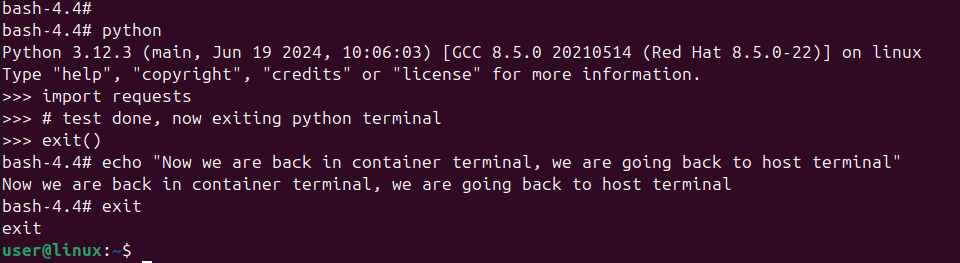
To verify installation of python and package, enter python terminal with command “python” and import the package.
To exit the container terminal, type “exit”.